Product design · Willow Laboratories
nutu
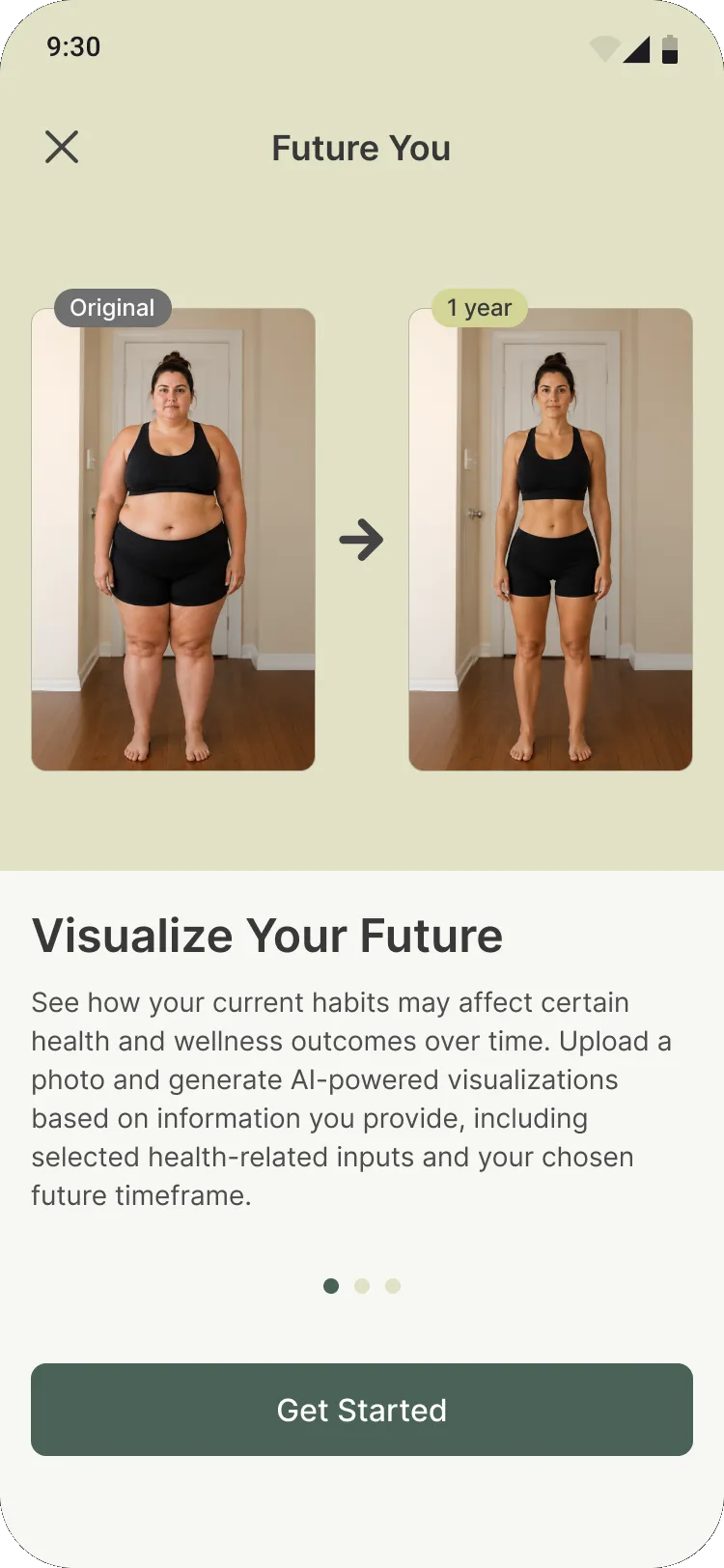
Two features I designed to help people keep showing up: goals that count what you actually did, and a future self you earn by logging.
Overview
The problem
nutu began as a nutrition tracker and is growing into a full metabolic health platform. Logging a meal is easy. Still logging three weeks later is the hard part, because better habits take months to show up in the mirror.
So I came at it from both ends. Goals makes this week’s progress feel real. Future You shows where all those weeks are heading.
01 · Goals
Goals that count what you actually did
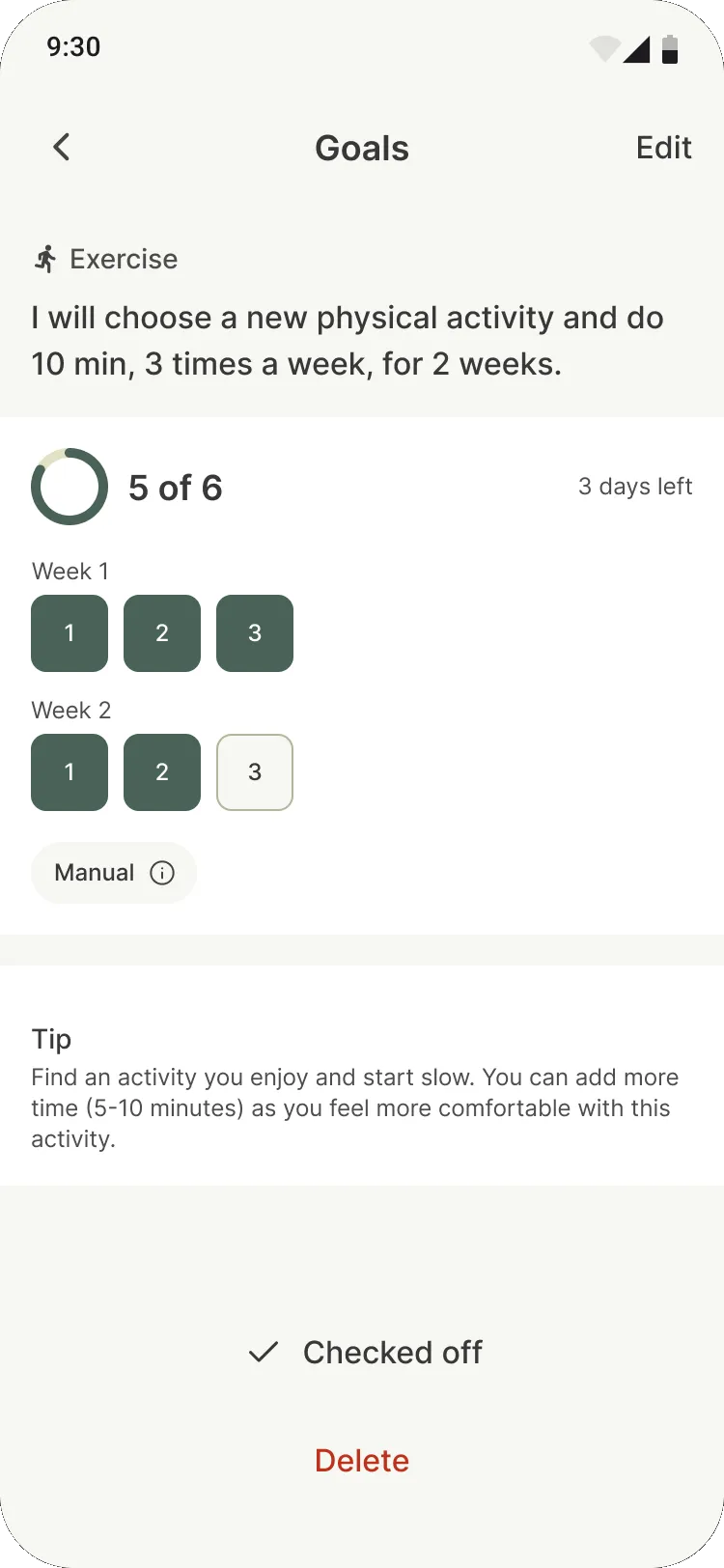
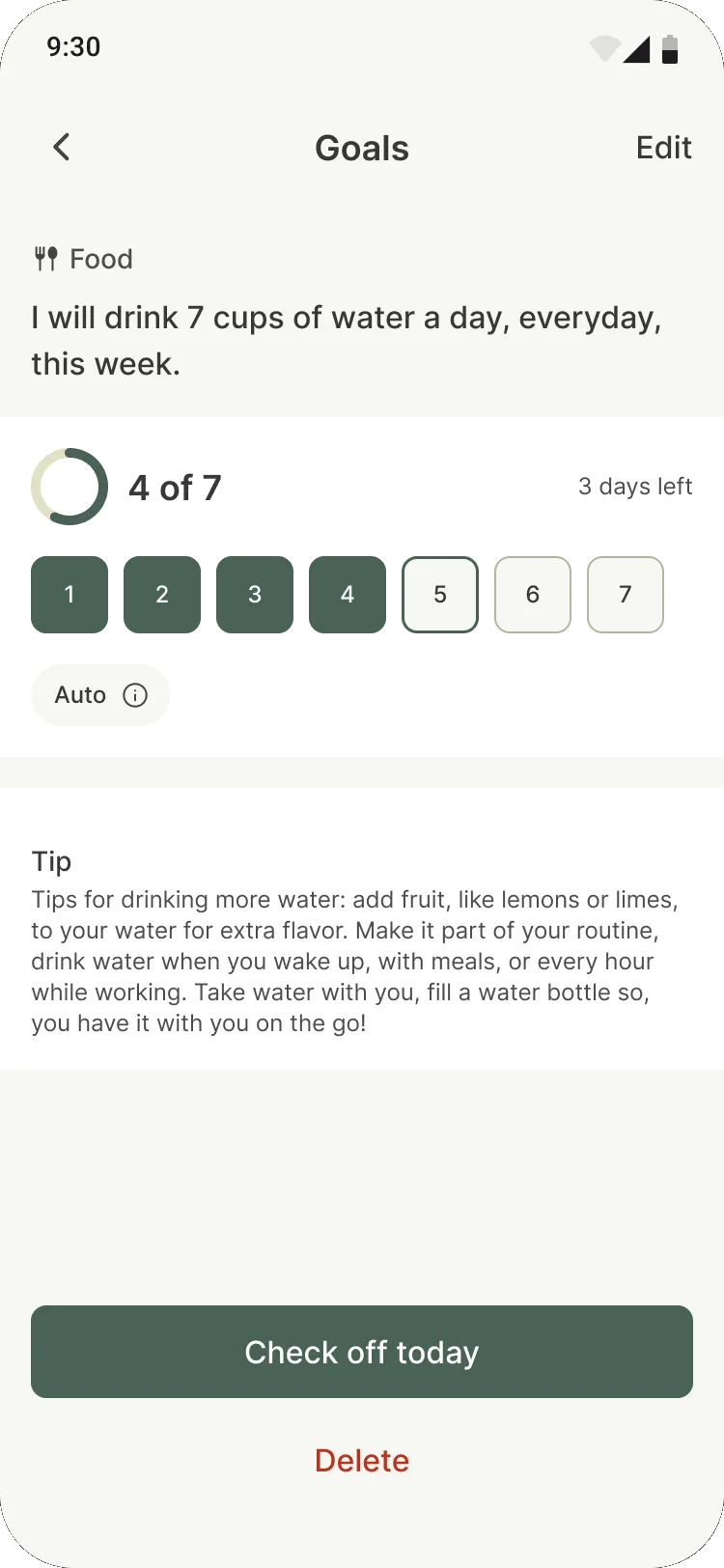
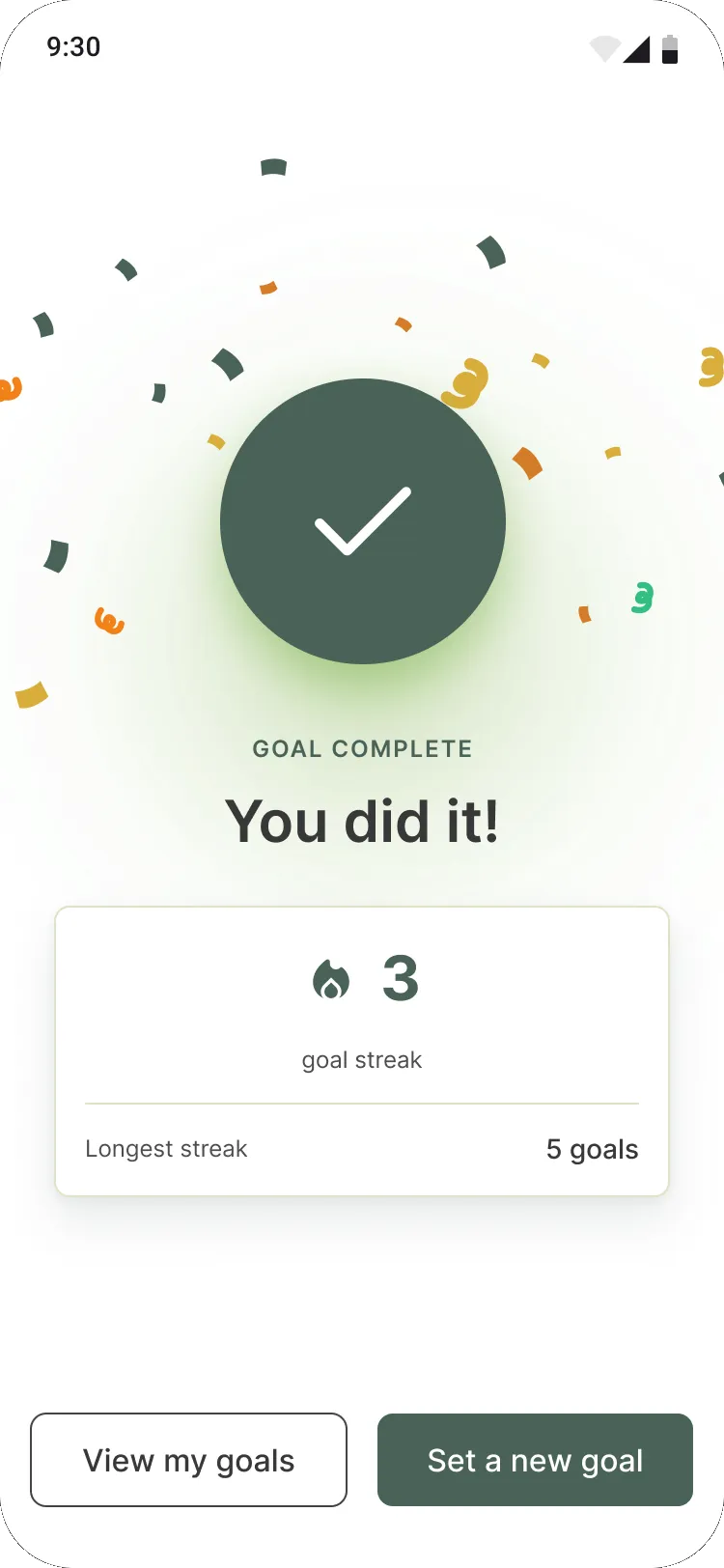
People start from a goal nutu’s health team wrote, then make it theirs: how long, how often, for how many weeks. Every goal reads back as one plain sentence, so there’s never any doubt about what you signed up for.
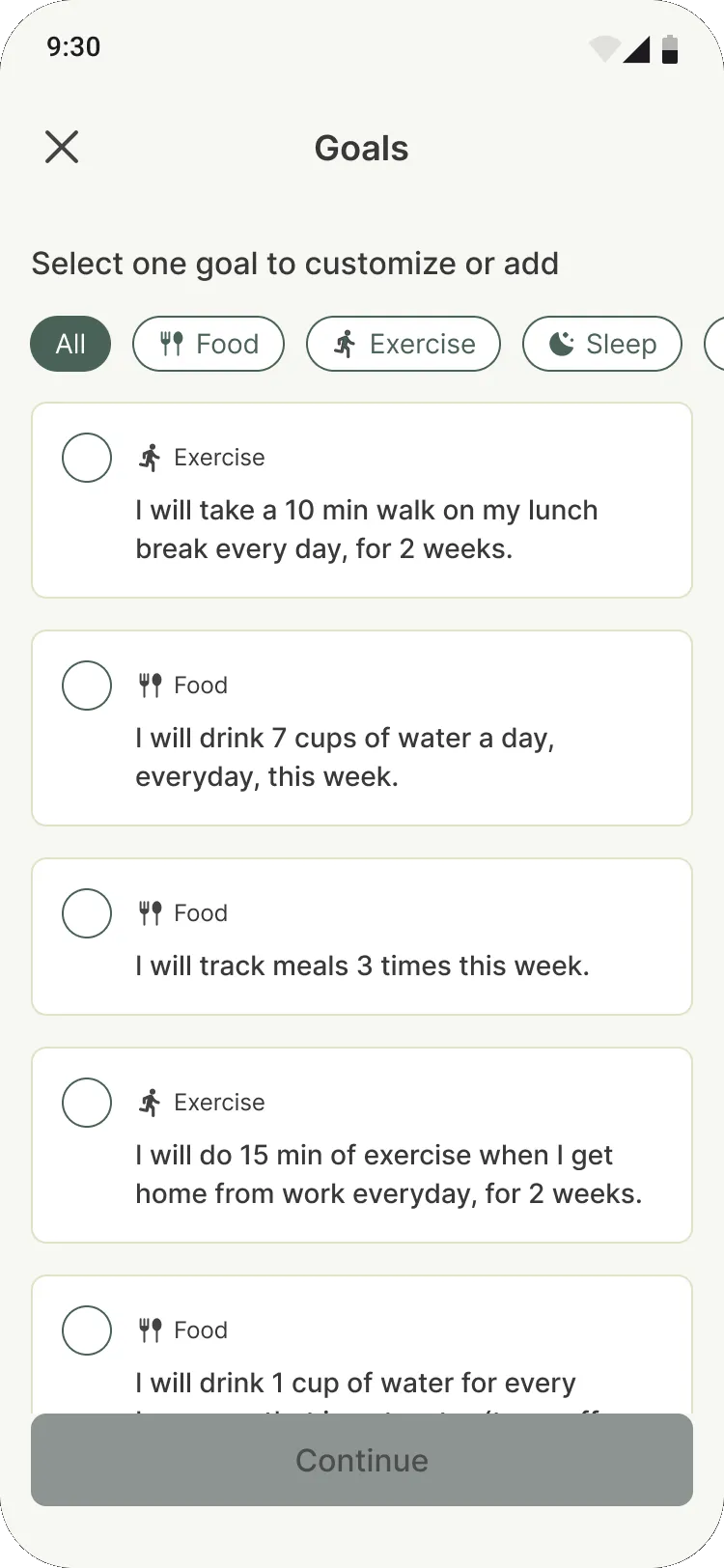
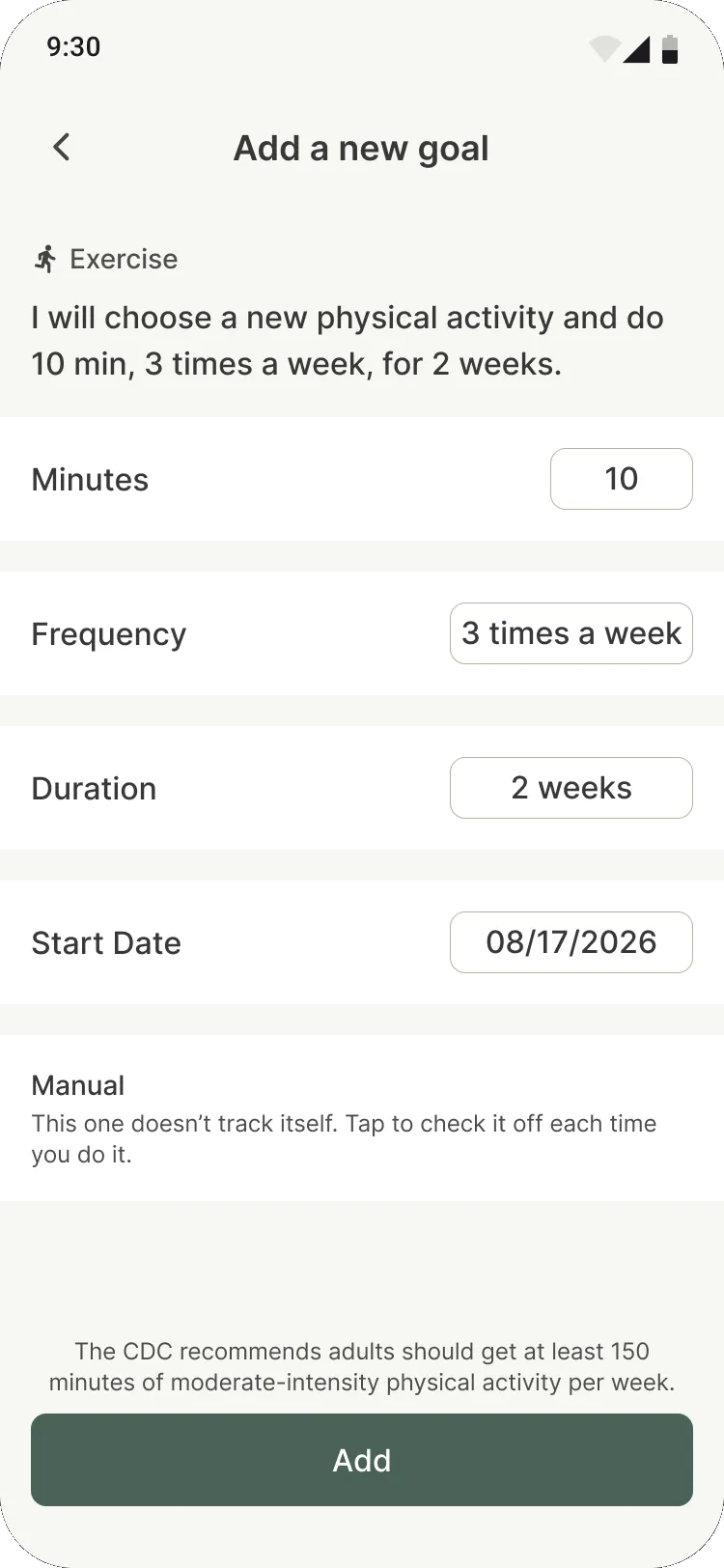
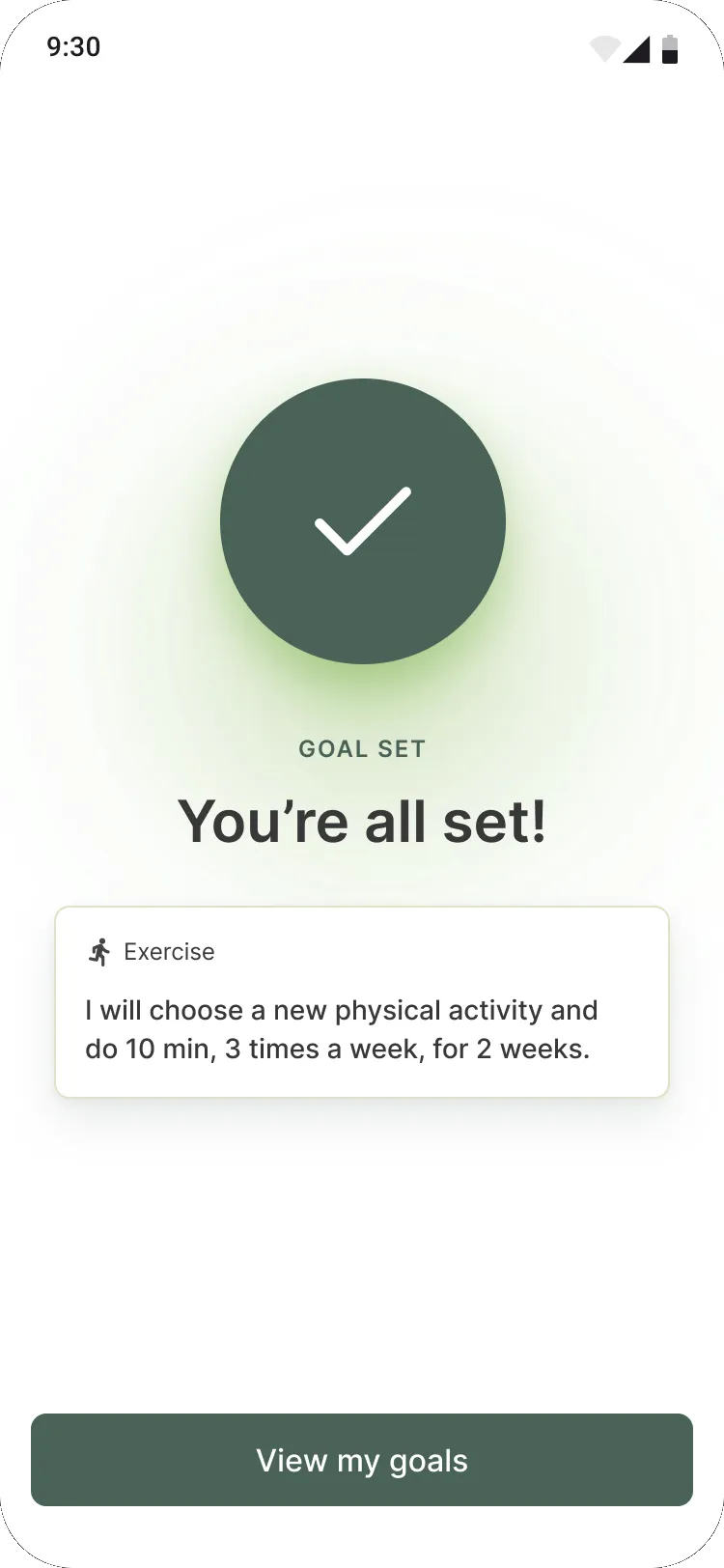
0 of 6, not 0 of 14.
A goal like “3 times a week for 2 weeks” counts the times you showed up, not the days on the calendar. Skipping a Tuesday is part of the plan, not a failure.
How the same week reads
Completions4 of 6 · 67%
Calendar days4 of 14 · 29%
Try it: tap a day
Exercise
I will choose a new physical activity and do 10 min, 3 times a week, for 2 weeks.
4 of 6
3 days left
Week 1
Week 2
Manual
Progress that feels fair
Forgot to log yesterday? Tap the day and catch up. Goals nutu can track on its own fill in from what you log, and the rest are one tap. There’s a cap of two goals at a time: enough to build momentum without spreading yourself thin.
02 · Future You
A future worth logging for
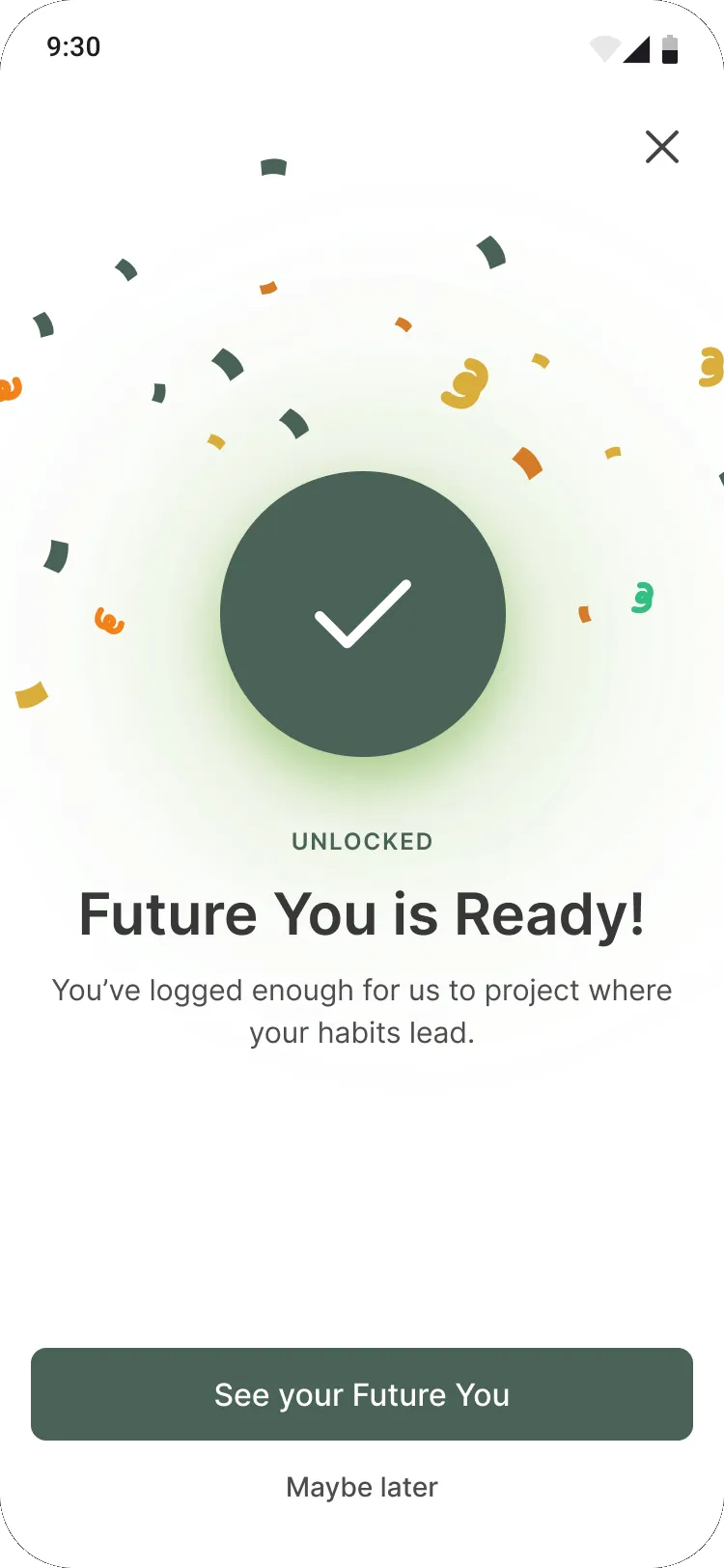
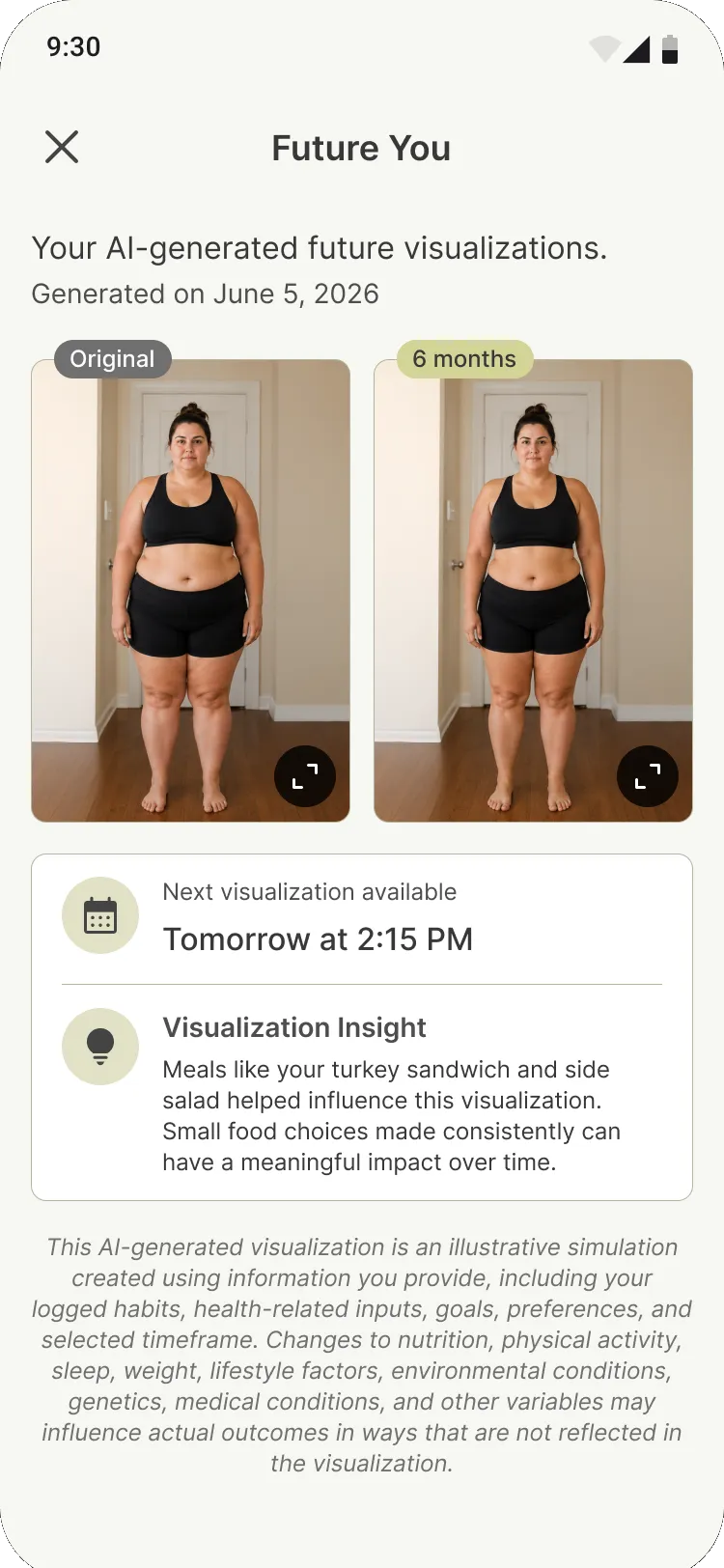
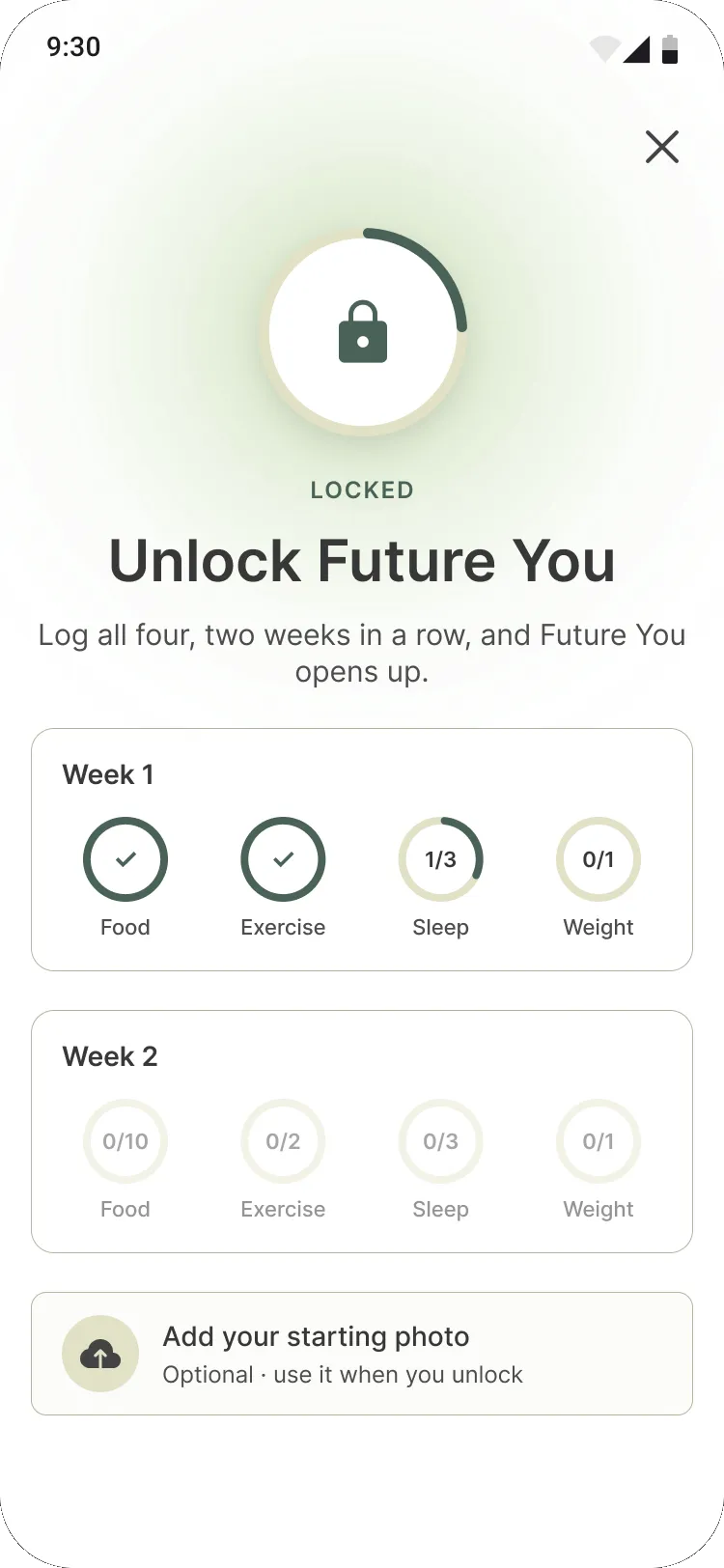
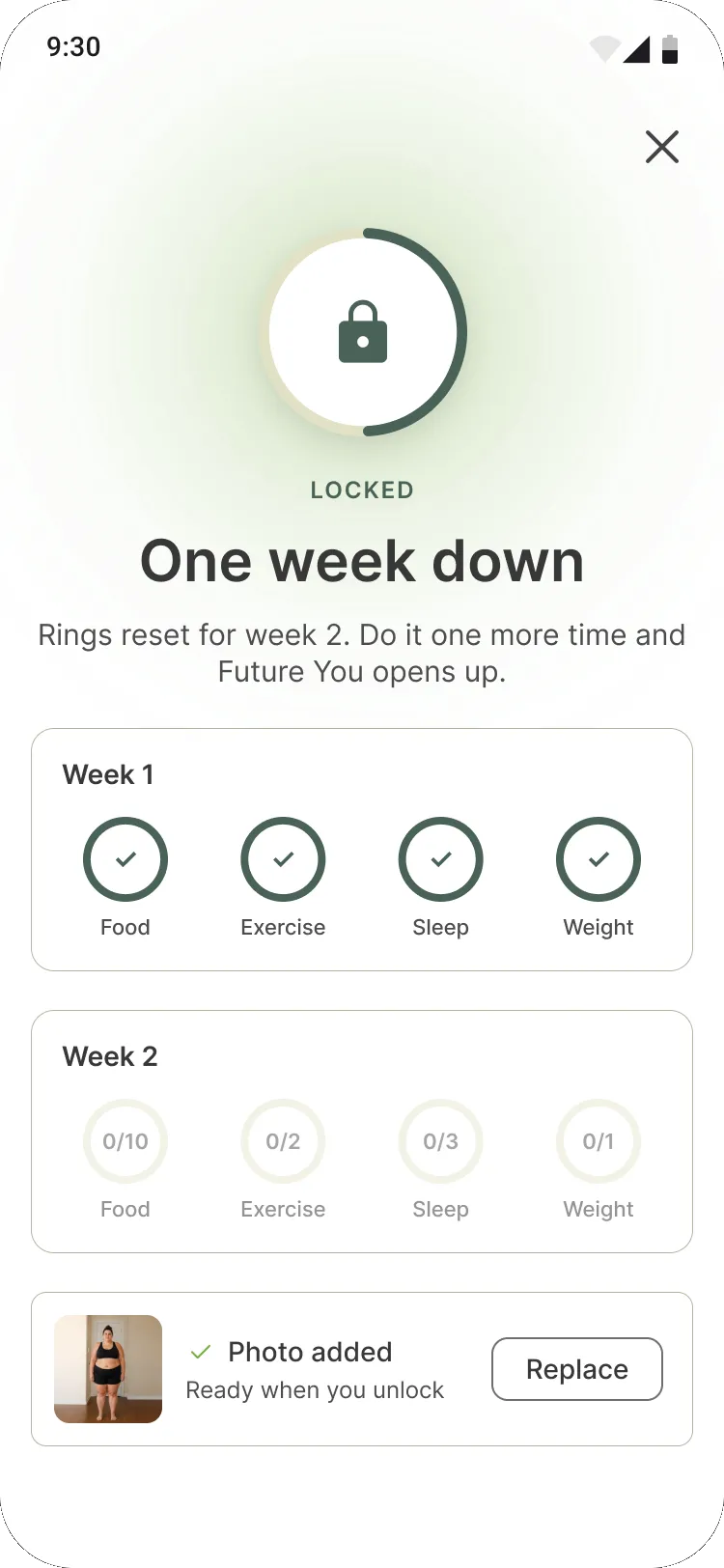
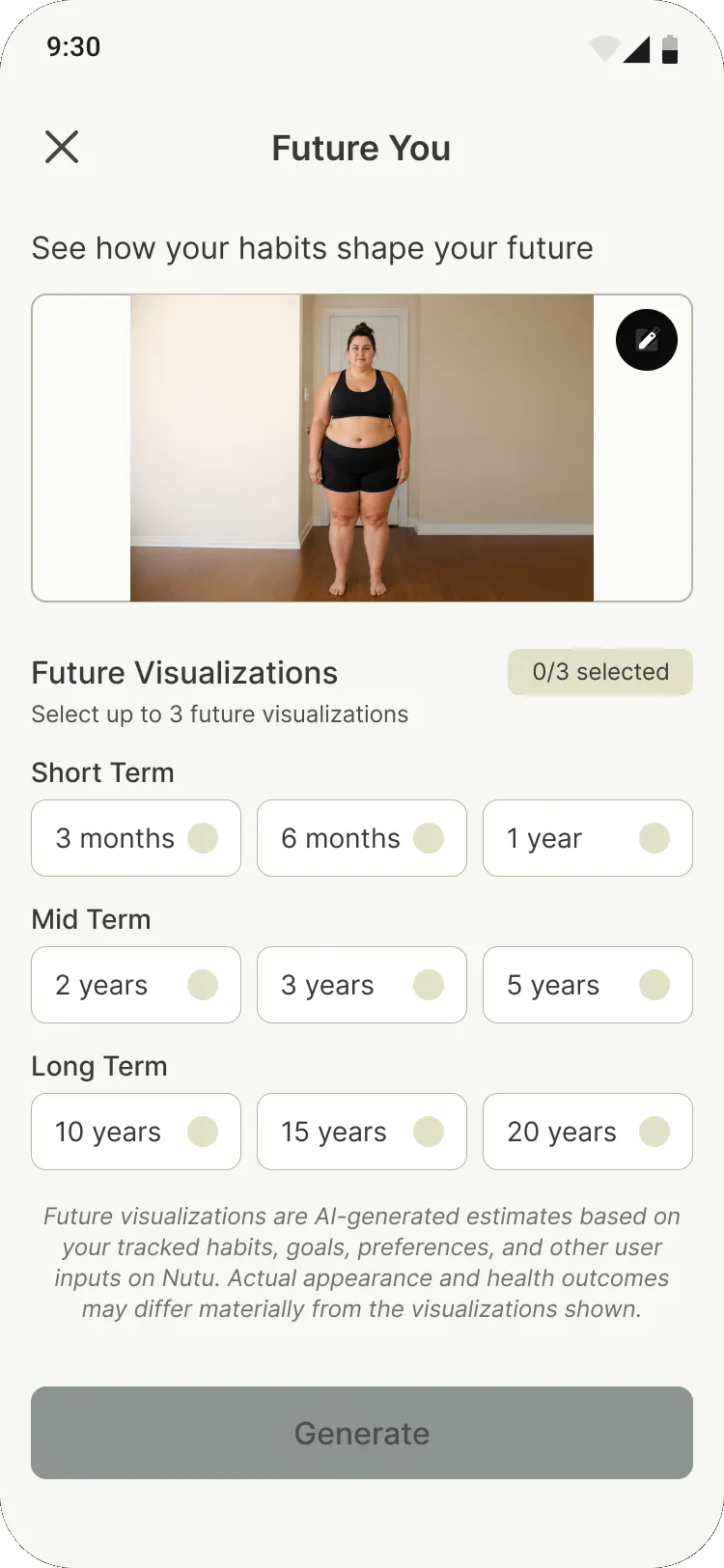
Future You uses AI to picture how your body could change if you keep your current habits. I wanted it to feel like a reward, so it’s earned: log all four habits two weeks in a row and it unlocks. Until then, the locked screen does the motivating, with both weeks in view and rings that fill as you go.
Designing around real constraints
Generating an image takes time and money, so there’s a 24-hour cooldown between runs. Photos need consent, and every result carries an AI disclaimer. Rather than bury those rules, I let the design explain them right when they matter: when your next run opens up, why an upload failed, what the image is and isn’t. You can even add a starting photo while it’s still locked, so nothing gets asked twice.
03 · What’s next
Making the future adjustable
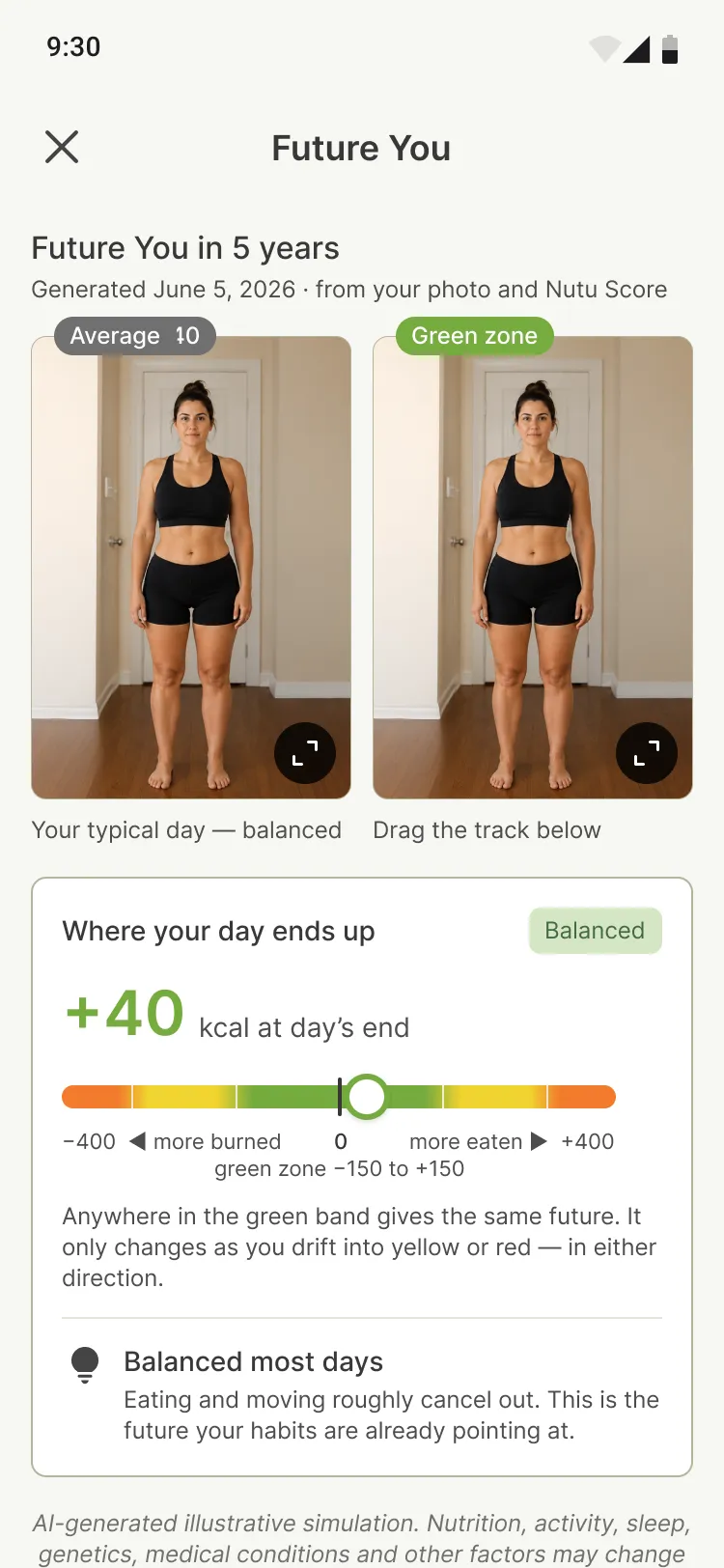
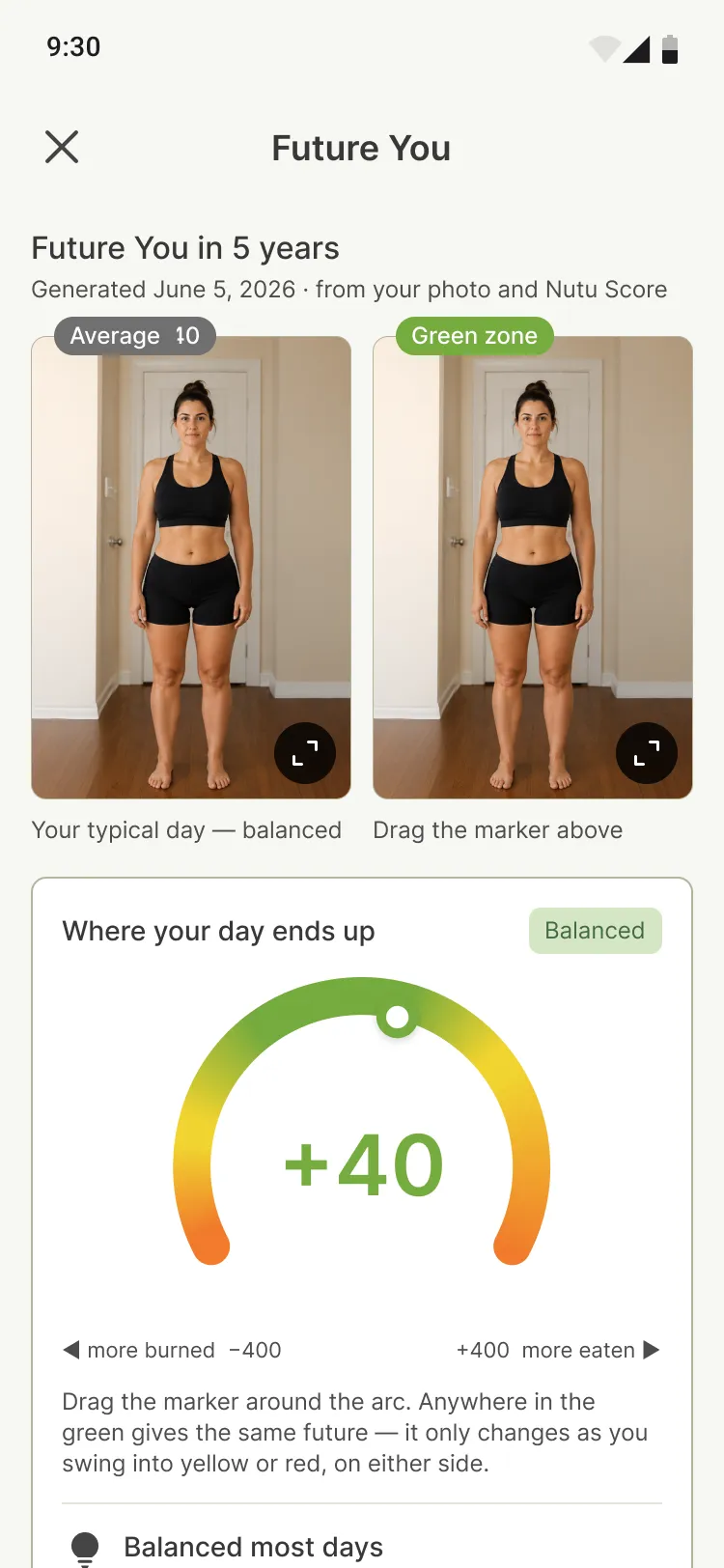
The next version adds a slider. Drag your daily balance and watch your future change with it. Before it got there, I tried three ways to show where your day ends up: a balance track, a gauge dial, and a count of balanced days.
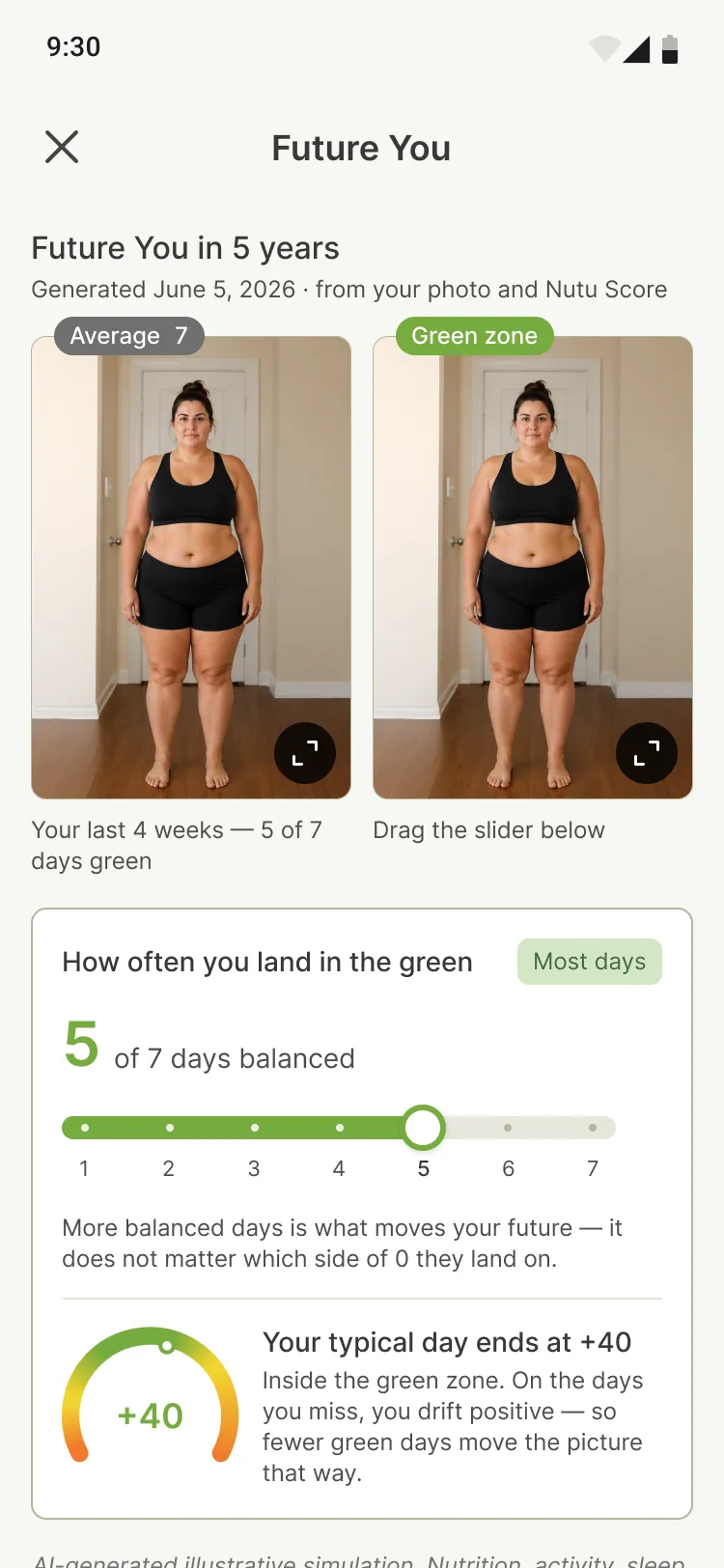
Where it landed
The final pairs the gauge’s quick read with a simple slider underneath. It’s still in progress and ships later this year, but you can take the control for a spin below.
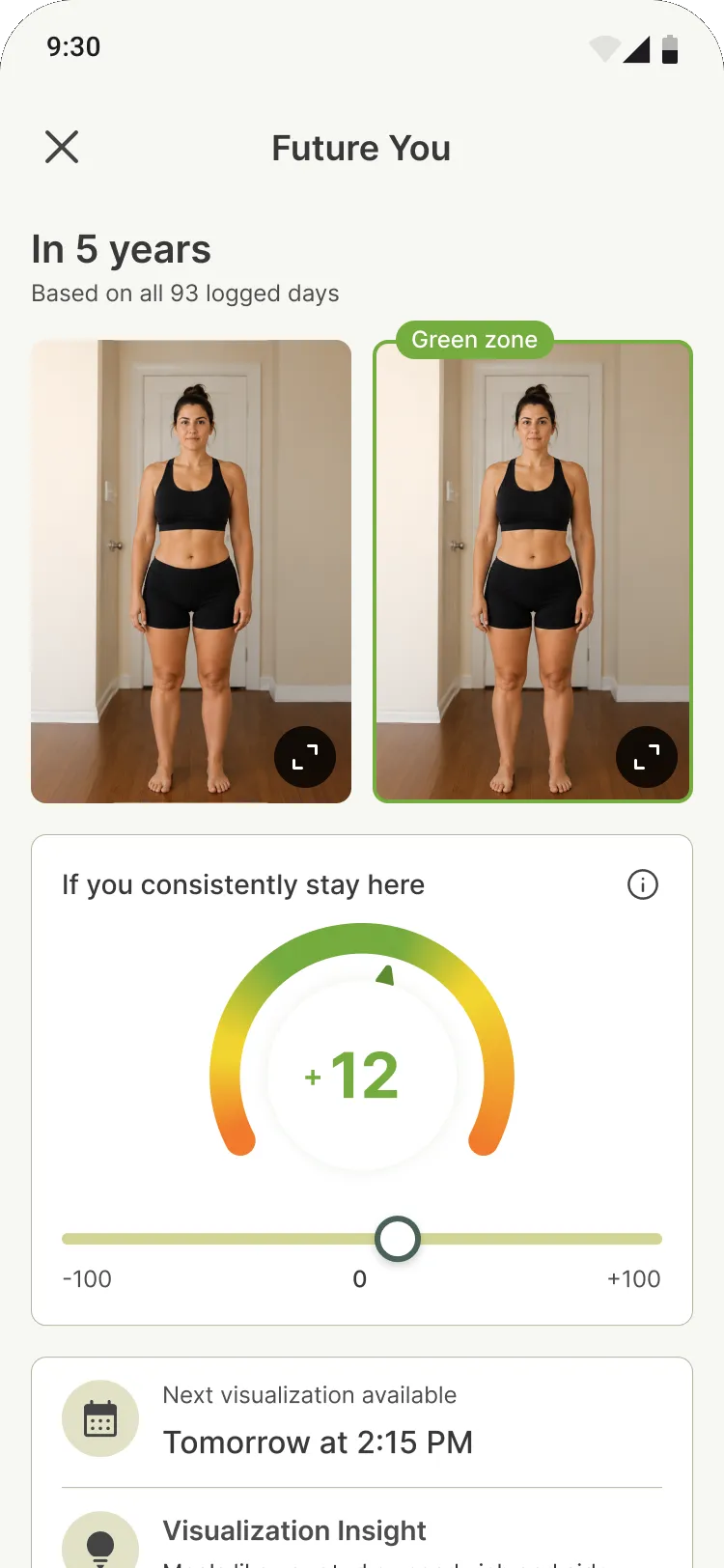
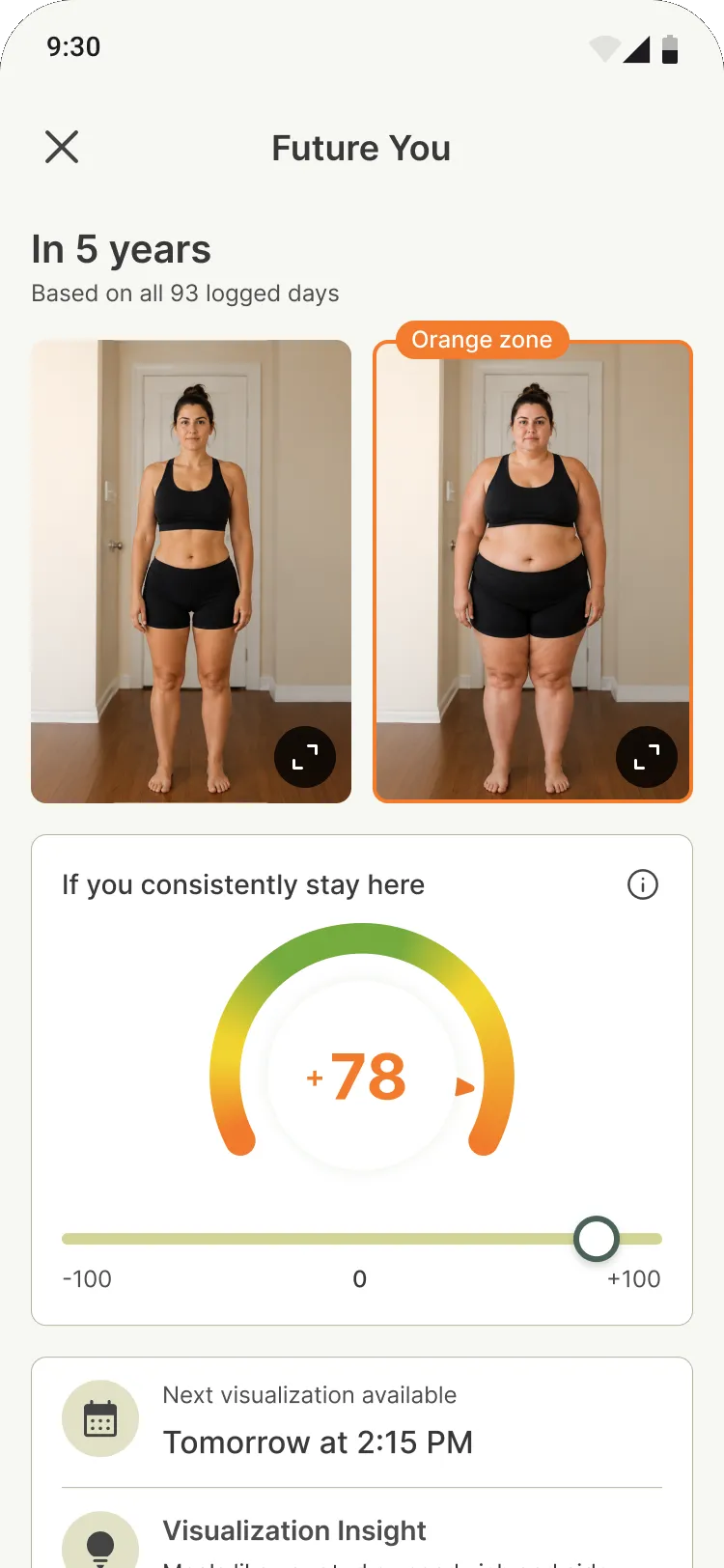
If you consistently stay here
Try it: drag the slider
Anywhere in the green gives the same future. Drift into yellow or orange, in either direction, and the picture changes with you.
- Green: a balanced day
- Yellow: drifting
- Orange: well off balance
04 · Process
How I worked
I worked side by side with PMs, engineers and nutu’s health team from first flows to handoff. Next to every screen I wrote down the logic: caps, edge cases, error states, what day one looks like next to week four. Engineering could build without guessing, and the health team could check every word and claim. Moments we’d already gotten right, like the celebration, I reused instead of reinventing.
05 · Outcome
Where it stands
Goals ships this month, and the first version of Future You is rolling out now, with the slider later this year.
Next for Goals: letting people set a goal in their own words instead of picking from a list, with nutu helping shape it into something they can track. More on that, and on what we learn from real usage, once it’s out in the world.